Aloha Private Cloud: keep what you meant to keep
Stop deleting files just to free up space. Aloha Private Cloud now comes in 100GB, 500GB and 2TB. Buy it on its own or add it to Premium, and keep your whole library on every device.

Choose the storage size that actually fits what you've got.
You've deleted something you wanted to keep, just to free up space. And you've probably had a phone die on you too — old age, a cracked screen, a moment of butterfingers — taking a few years of memories down with it. Neither should be the price of keeping something around.
Here's the thing: Aloha stopped being "just a browser" a long time ago. For a lot of you, it became an archive: videos, music, photos, documents, entire folders you've been quietly building up. Collections like that don't shrink. They only grow. And sooner or later, they hit a wall: your phone's.
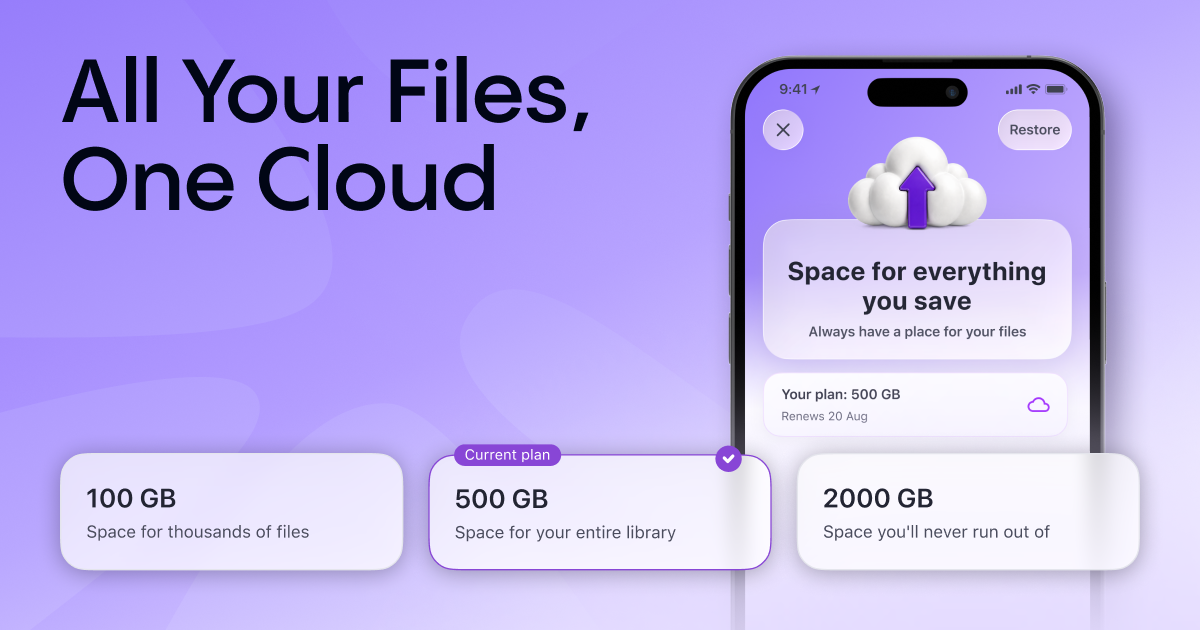
To help you solve this issue, we designed Aloha Private Cloud in three sizes: 100GB, 500GB, and 2TB. Pick the one that fits your library, instead of trimming your library to fit the cloud.
Why bother with the cloud at all
Quick refresher on what actually changes when a file leaves your phone's storage for Aloha Private Cloud.
Your files stop depending on your phone. A local download lives on one device and dies with it. Lost, broken, or the app gets removed, and it's gone. A file in the cloud stays with you. Reinstall Aloha, sign in to your profile, open the Cloud folder. That's it.
Your whole library, on any device. Save a video on your phone, open it on your tablet. Sign in somewhere new and the whole collection is already there; nothing to transfer by hand.
No downloading required. Photos, videos, and audio stream straight from the cloud, with the same controls you already use for local files.
How it works
- Buy it on its own. Extra storage is a separate subscription. Want just the cloud? You get just the cloud. No need to pay for the rest of Premium.
- Or add it to Premium. Already subscribed? The extra storage simply stacks on top of what Premium already gives you.
- The new subscription lives in the Cloud section. Choose or change your plan right there, in your profile, or in file settings.
If your subscription ends
We still believe losing your files without warning isn't something you do to people.
If your subscription ends, Aloha Private Cloud switches to read-only mode and you get time to renew your subscription or export everything. Reminders land by push notification and email, well before anything happens.
What's next
The goal is simple: your collection, with you, everywhere.
Next up is a web version of Aloha Cloud: your files open on any device, even one without Aloha installed. Just a browser and your profile.
In parallel, we're working on sharing folders and files in the cloud, and on shared collections — so you can share what you've gathered and build something together with others, so what you've gathered doesn't have to stay yours alone, unless you want it to.
Update Aloha Browser on iOS or Android, open the Cloud section, and pick the size that fits your collection. And tell us what else would make the cloud work harder for the way you save and watch.