Tab groups arrive in Aloha Browser for Android
Too many tabs, too many plans. Aloha Browser for Android now lets you group tabs by name and color, act on many at once and save a whole group in one tap.

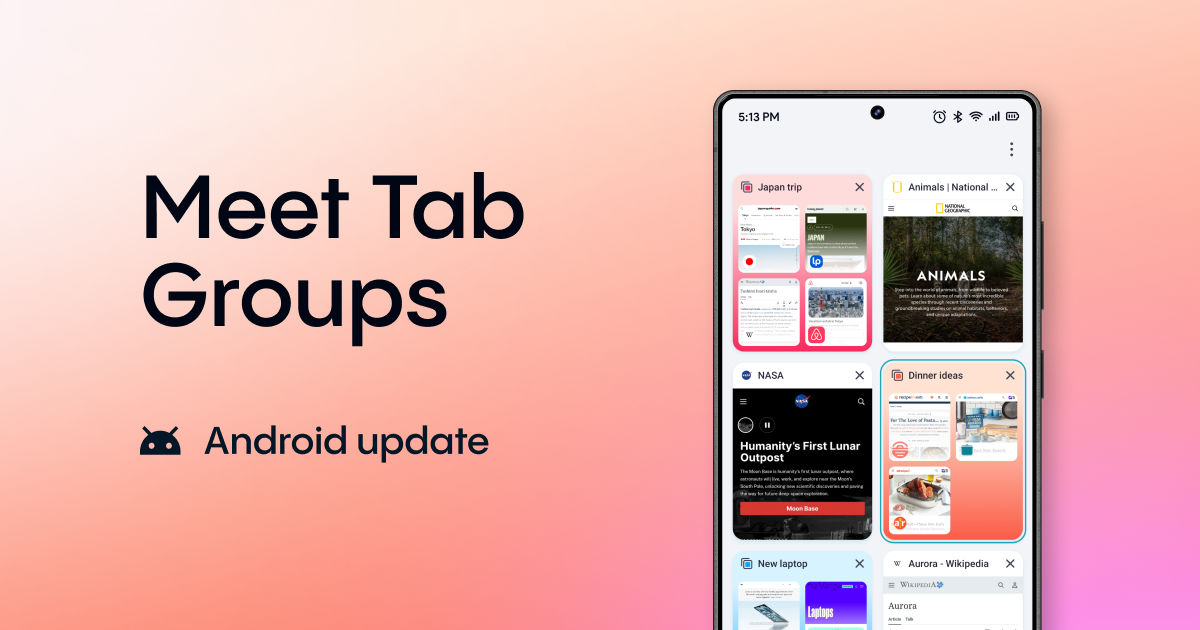
Group them. Select them. Keep them.
A trip to plan, a laptop to pick, dinner to sort out, and work somewhere in between. Each one lives in its own handful of tabs. Soon they all blur into one long row of thumbnails, and you’re the one keeping track of which tab belongs to what.
The new tab manager in Aloha Browser for Android gives each of them its own place. Drag tabs into named, colored groups, act on many tabs at once, and save a whole group to your bookmarks or Start page in one tap.
Group them
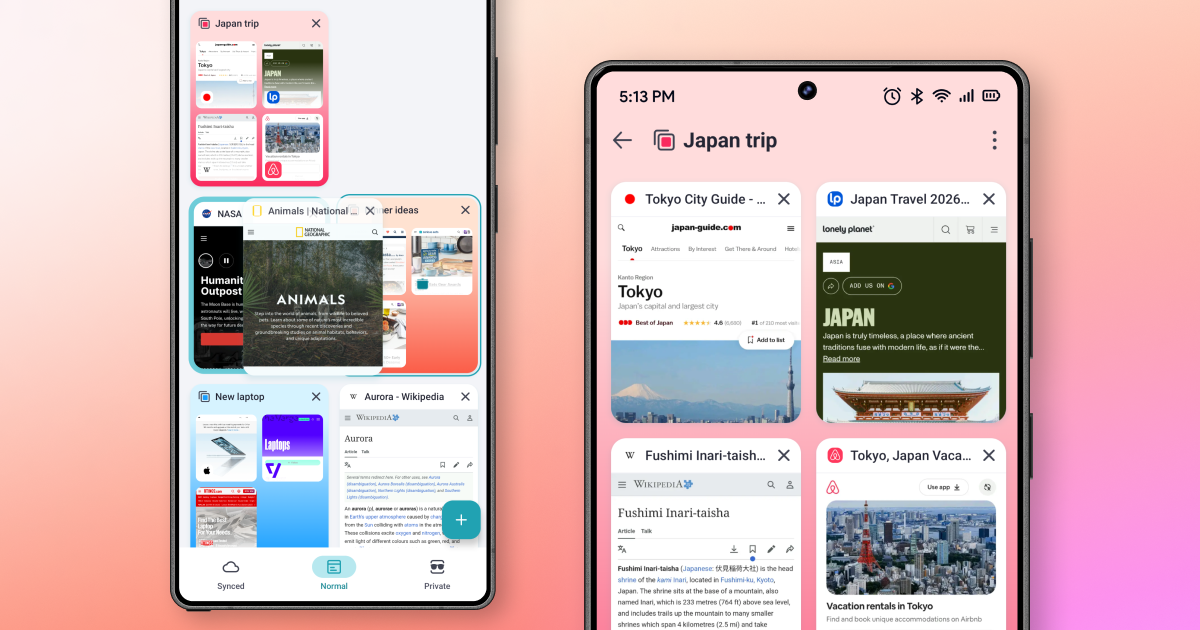
The fastest way to make a group is a gesture you already know. Press and hold a tab, drag it over another tab and let go. The two become a group.
Prefer menus? Long-press any tab and pick Move to group.
Every group gets a name and one of six colors, so your trip stays apart from your work. Open a group to see only the tabs that belong together.
Plans change, and so can groups. Rename or recolor a group, ungroup its tabs, or delete it in a couple of taps.
Groups work in Private mode too. Gift shopping you’d rather keep to yourself gets its own private group, with the same names and colors.
Select them
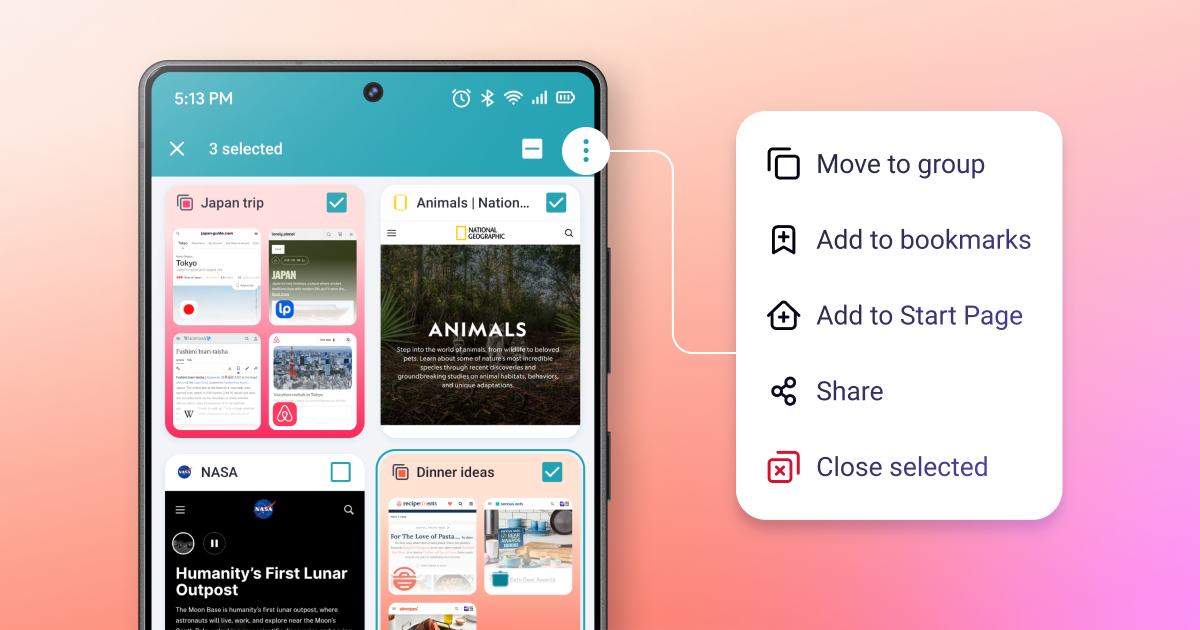
No more closing tabs one by one. Select as many tabs as you need, whole groups included, and act on all of them at once:
- Move to group: gather scattered tabs into one group
- Add to bookmarks: save them for later
- Add to Start page: keep them one tap away
- Share: send all the links at once
- Close selected: close them all in one go
Keep them
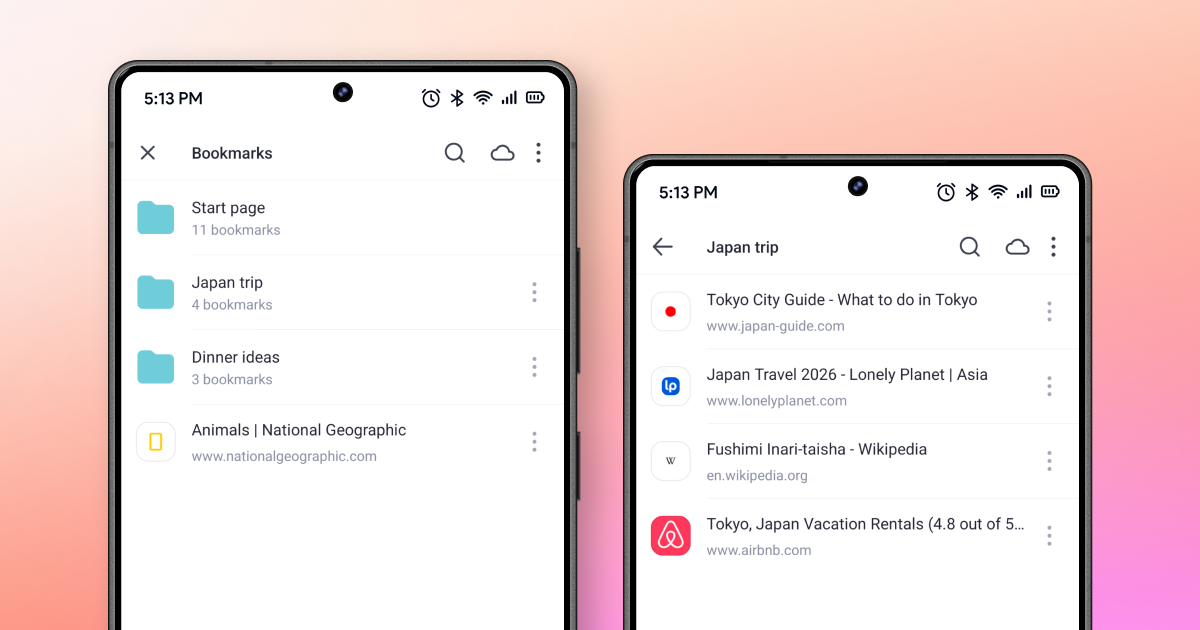
Some tabs are worth keeping after you close the browser. Save a group to your bookmarks and it becomes a folder with the same name. Your “Japan trip” group turns into a “Japan trip” folder, ready for the next time you plan.
Sites you open every day can go to your Start page instead, one tap away from any new tab.
Need to keep just one tab? Both actions are in its long-press menu too.
Grid or list
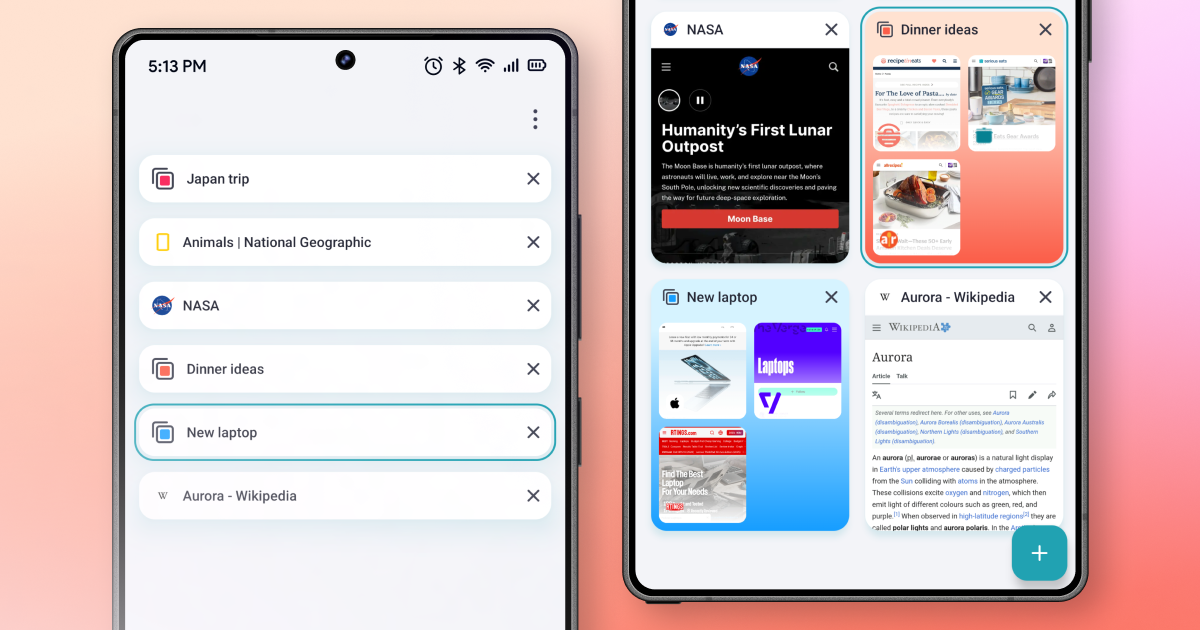
Thumbnails help you spot a page by how it looks. When you have a lot open, switch the tab manager to a list. It’s faster to scan, and groups keep their colors.
Get started
- Update Aloha Browser for Android to version 8.14 or later.
- Open the tab manager.
- Press and hold a tab, drag it onto another tab and let go.
- Name the group, pick a color and tap Done.
That’s it: your first group is ready. Add more tabs by dragging them onto the group, or use Move to group from any tab’s menu.
Update Aloha Browser for Android on Google Play and give every tab a home.